School Education - Keynote Template Guide
In the fast-paced world of digital communication, the quality of your presentation often determines the success of your message. Whether you are an educator explaining a new curriculum to parents or a startup founder pitching an EdTech solution to investors, the visual framework you choose sets the tone immediately. The School Education - Keynote Template offers a robust solution for those who need to convey complex ideas with clarity and style. It is not merely a collection of slides; it is a structured environment designed to streamline your workflow while ensuring your content remains the focal point.
Understanding the Core Value of the Template
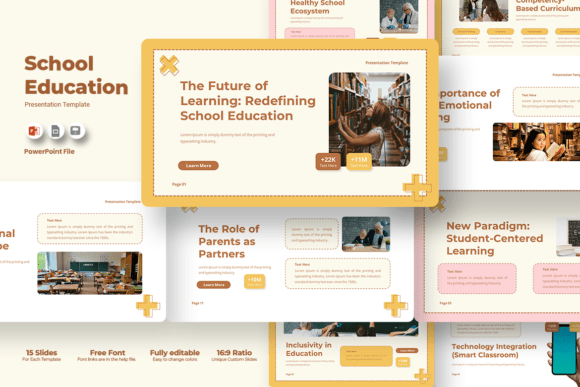
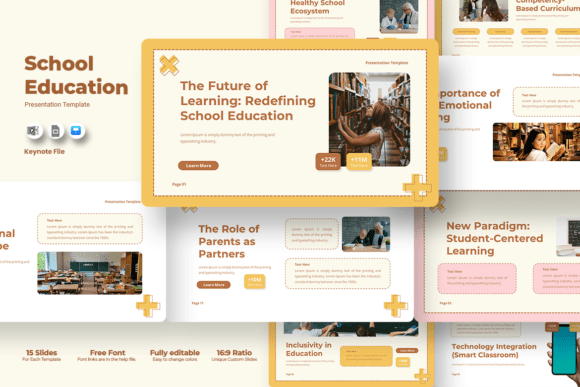
At its heart, this template is built on the principle of versatility. While the name suggests a primary focus on academic settings, the underlying design logic transcends the classroom. It provides a professional aesthetic that works equally well for corporate profiles, creative portfolios, and business pitch decks. The modern 16:9 ratio ensures compatibility with almost all contemporary projectors, large monitors, and video conferencing platforms, eliminating the frustration of cropped images or awkward black bars during a live presentation.
The true strength of the School Education - Keynote Template lies in its balance between structure and flexibility. Many free templates force users into rigid layouts that stifle creativity, while high-end designs can be so complex they require hours of customization. This specific tool strikes a middle ground. It comes pre-loaded with fifteen distinct slide layouts, each serving a unique purpose within a narrative arc. From title pages to comparison charts, timelines, and photo galleries, these slides cover the essential building blocks of any compelling story.
Why Design Matters in Education and Business
Design is not just about aesthetics; it is about cognitive load. When an audience is presented with a cluttered, confusing slide deck, their ability to absorb information drops significantly. A well-structured template like this one reduces that friction. By using consistent typography, color schemes, and spacing, it guides the viewer's eye naturally through the content. For educators, this means students retain more information. For business owners, it means stakeholders understand the value proposition faster. The use of free fonts ensures that your presentation looks exactly as intended on any device, without worrying about missing typefaces breaking the layout.
Key Features That Drive Efficiency
Efficiency is the currency of the modern professional. Time spent wrestling with formatting tools is time taken away from refining your actual message. The School Education - Keynote Template addresses this by offering a "drag-and-drop" image system. You no longer need to manually resize photos or struggle with alignment tools. Simply place your image into the designated placeholder, and the template handles the scaling and positioning automatically. This feature alone can save hours of tedious work when preparing a quarterly report or a semester review.
Beyond images, the template is fully editable in every aspect. You have complete control over colors, allowing you to align the presentation with your personal brand or your institution's guidelines. Changing the color palette is often as simple as modifying a master slide or selecting a new theme option. Text boxes are fluid, shapes are adjustable, and elements can be moved or deleted without breaking the overall design integrity. This level of customization ensures that the final product feels bespoke rather than generic.
- Fully Editable Elements: Modify text, photos, shapes, and icons to suit your specific needs.
- Drag and Drop Functionality: Simplify the process of adding visuals with intuitive placeholders.
- Unique Custom Slides: Access fifteen different layouts to avoid repetitive structures.
- Universal Compatibility: Designed in the standard 16:9 widescreen format for seamless projection.
Practical Applications Across Industries
While the template is labeled for school education, its utility extends far beyond the classroom walls. Consider the diverse range of professionals who could benefit from this resource:
For Educators and Administrators
Teachers can use these slides to create engaging lesson plans, present student progress reports to parents, or showcase school achievements at board meetings. The clean, organized layout helps in presenting data clearly, such as test scores or attendance statistics, making the information accessible to non-experts. School administrators can utilize the portfolio-style slides to highlight faculty credentials or campus facilities during recruitment drives.
For Entrepreneurs and Startups
Startups in the EdTech sector or general business ventures can adapt this template for investor pitch decks. The professional look instills confidence, while the variety of slide types allows for detailed financial breakdowns, team introductions, and market analysis. The ability to quickly swap out images and colors means a single template can serve multiple clients or projects without looking recycled.
For Creatives and Freelancers
Photographers, graphic designers, and marketers often need to present their work visually. The image-heavy placeholders in the School Education - Keynote Template provide a perfect stage for showcasing portfolios. Whether it is a photography exhibition proposal or a marketing campaign strategy, the visual-first approach ensures that the work takes center stage. Freelancers can also use it to present case studies to potential clients, demonstrating past successes with a polished, cohesive narrative.
Strategic Implementation and Best Practices
To get the most out of this resource, it is important to approach the customization process strategically. Start by defining your core message before opening the file. Once you know what story you are telling, select the relevant slides from the fifteen available options. Do not feel compelled to use every slide; a concise, focused presentation is always more impactful than a bloated one.
When customizing colors, stick to a palette that reflects your brand identity but maintains readability. High contrast between text and background is crucial for accessibility. Since the template uses free fonts, ensure that the font sizes are legible from the back of the room. If you are presenting remotely, consider how the slides will appear on smaller screens and adjust image resolutions accordingly.
Remember that while the template provides the structure, your content provides the value. Use the drag-and-drop features to insert high-quality images that reinforce your points, but avoid overloading slides with too much text. The goal is to support your verbal delivery, not replace it. By leveraging the ease of editing and the professional design of the School Education - Keynote Template, you can shift your focus from formatting to storytelling, ultimately delivering a more persuasive and memorable experience for your audience.
Whether you are launching a new educational program, securing funding for a startup, or simply sharing your creative vision, having a reliable, easy-to-edit presentation tool is invaluable. This template offers that reliability, combining aesthetic appeal with functional power to help you communicate effectively in any context.